
Table of Contents
WhatsApp appointment management for clinics has become one of the most practical ways for small practices to handle patient communication. In many clinics, WhatsApp is already the main channel for booking, reminders, follow-ups, and quick questions.
The problem is not using WhatsApp. The problem is using it without structure. When messages are scattered across staff phones, it becomes easy to miss follow-ups, double-book appointments, or forget to confirm patients on time.
A better system helps clinics turn WhatsApp into an organized workflow instead of a constant interruption. That is where clinic communication, reminders, and scheduling can work together more smoothly.
Why clinics rely on WhatsApp
Patients already use WhatsApp every day, so it feels natural for them to ask about appointments, timings, reports, treatment plans, or rescheduling. That is why many clinics adopt it before any other communication tool.
For small clinics, WhatsApp is often faster than email and easier than phone calls. It reduces friction for both the clinic and the patient.
The challenge is that manual WhatsApp use can quickly become messy. One patient message turns into a long thread, another reminder gets forgotten, and staff may not have a clear record of what was confirmed.
The problems with manual WhatsApp handling
Many clinics start with a simple approach: patients message the front desk, staff reply when available, and reminders are sent by hand. This works for a while, but it creates problems once the clinic gets busy.
The most common issues are:
- missed replies,
- delayed confirmations,
- double-booked slots,
- inconsistent follow-ups,
- poor recordkeeping,
- staff confusion over who replied to whom.
If WhatsApp is the main patient channel, those issues directly affect revenue and patient experience. A clinic may lose patients not because care is poor, but because communication feels slow or unorganized.
What smart WhatsApp clinic workflows look like
A smart WhatsApp workflow does not mean replacing human staff. It means giving staff a clear system so communication is faster and more reliable.
A good workflow usually includes:
- appointment requests routed into one place,
- confirmation messages sent automatically,
- reminder messages before the visit,
- follow-up messages after the visit,
- patient questions tagged by type,
- clear visibility for the front desk,
- a record of what was already sent.
This kind of structure helps clinics reduce mistakes and improves the patient experience without forcing staff to work harder.
WhatsApp reminders and no-show reduction
One of the most useful parts of WhatsApp appointment management for clinics is reducing no-shows. Patients are much more likely to respond to a WhatsApp reminder than to a message they never check.
A simple reminder system can help with:
- next-day appointment confirmations,
- same-day reminder messages,
- follow-up after a missed visit,
- rebooking patients who stop responding.
For small clinics, even a small reduction in no-shows can improve revenue. It also helps the schedule stay fuller and more predictable.
What clinics should automate
Not every WhatsApp message should be manual. The best clinic workflow usually automates routine tasks and keeps staff focused on exceptions.
Useful automations include:
- appointment confirmations,
- reminder messages,
- reschedule prompts,
- follow-up messages,
- post-visit care reminders,
- package renewal reminders,
- unanswered message alerts.
This approach keeps communication professional while still allowing the clinic to handle each patient properly.
WhatsApp use by country
The value of WhatsApp appointment management is especially strong in countries where mobile messaging is already part of daily life.
In India, clinics often depend on WhatsApp for almost everything from booking to reminders. That makes it one of the highest-impact places to structure clinic communication.
In the UK, WhatsApp can still be useful for reminders and follow-ups, especially in private practice, but clinics usually care more about privacy, documentation, and professional communication standards.
In Australia and the UAE, WhatsApp may be part of the workflow, but clinics often want communication to sit inside a more controlled patient management system rather than in disconnected chats.
That is why a clinic communication tool should fit local workflow expectations instead of assuming every country uses the same style of patient interaction.
Where ClinDesk fits
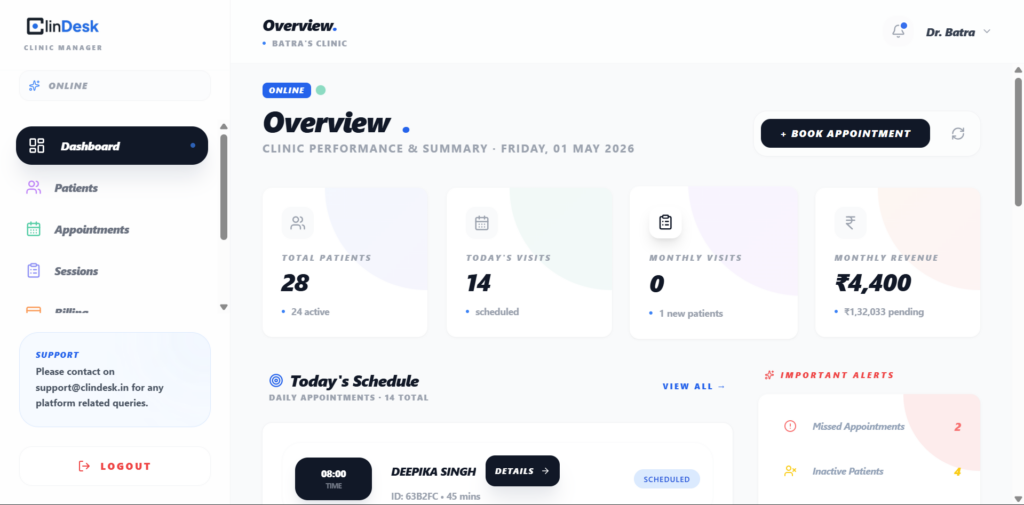
Clindesk fits naturally when a clinic wants to bring appointment handling, reminders, and patient follow-up into one place. It is especially useful for smaller practices that already use WhatsApp but want more structure around it.
In practical terms, Clindesk can be positioned as the system that helps clinics stop treating WhatsApp like a noisy inbox and start using it like a managed workflow.
That makes it easier for the clinic to stay organized without losing the convenience that patients expect.
How to organize WhatsApp better
If a clinic wants to improve WhatsApp handling, the first step is not more messages. It is better process.
A clinic should:
- separate appointment messages from general questions,
- standardize reminder timing,
- keep one person or system responsible for follow-ups,
- track unanswered messages,
- document appointment changes,
- use templates for repetitive replies,
- review no-show patterns regularly.
Even a small amount of structure can dramatically improve daily operations.
What not to do
Clinics should avoid using WhatsApp like a free-for-all chat room. That usually creates confusion and makes communication depend too much on one staff member.
They should also avoid sending too many messages. If reminders become excessive or feel robotic, patients may ignore them.
The best approach is useful, timely, and respectful communication.
How clinics can improve patient experience
WhatsApp is not just about convenience. It also shapes how professional the clinic feels.
Patients usually like:
- quick replies,
- clear appointment confirmation,
- reminders before visits,
- easy rescheduling,
- simple follow-up instructions.
When a clinic handles these well, patients feel looked after. That helps retention and makes the clinic feel more dependable.
When WhatsApp is not enough
WhatsApp is useful, but it should not be the only system a clinic uses.
A clinic will usually need:
- scheduling support,
- patient records,
- billing,
- notes,
- reminders,
- follow-up history.
That is why WhatsApp works best when it is connected to clinic management software instead of being used in isolation.
How to choose the right system
Before selecting any WhatsApp clinic workflow, ask these questions:
- Can it manage patient communication in an organized way?
- Does it reduce staff workload?
- Can it automate reminders?
- Does it keep a clear record of communication?
- Is it simple enough for the front desk?
- Does it fit your country and specialty?
If the answer is yes, the system is probably a good fit.
FAQs
What is WhatsApp appointment management for clinics?
It is the process of using WhatsApp to manage bookings, confirmations, reminders, and follow-ups in a structured way.
Why do clinics use WhatsApp for patient communication?
Because patients already use it daily, so it is fast, familiar, and easy to respond to.
Can WhatsApp reduce patient no-shows?
Yes. Reminder messages and quick confirmations can help patients remember and attend appointments.
Is WhatsApp good for small clinics?
Yes. It is especially useful for small clinics that need quick communication without heavy software.
How do clinics manage WhatsApp without chaos?
By using templates, clear ownership, reminder rules, and a system that organizes conversations properly.
Can WhatsApp be used for follow-up after treatment?
Yes. Clinics often use it for follow-up instructions, rebooking, and care reminders.
Is WhatsApp enough for clinic management?
No. It is useful, but it should work alongside scheduling, notes, billing, and patient records.
How does WhatsApp help physiotherapy clinics?
It helps physiotherapy clinics manage recurring visits, reminders, and patient communication more easily.
What should a clinic automate on WhatsApp?
Confirmations, reminders, follow-ups, reschedule messages, and unanswered message alerts.
Can WhatsApp be connected to clinic management software?
Yes. That is usually the best approach because it keeps communication structured and reduces manual work.
Suggested Articles
- patient scheduling software
- reduce patient no-shows
- how to start a private practice
- how to increase clinic revenue
- SOAP note template
- medical billing software for small clinics
Summary
If your clinic already uses WhatsApp, the real opportunity is not to replace it. The opportunity is to organize it so scheduling, reminders, and follow-up feel professional and consistent. For small private practices, Clindesk can be one practical way to bring that structure into daily operations.