
Table of Contents
Running an independent clinic means wearing multiple hats. In a single day, you are a healthcare provider, a receptionist, a billing specialist, and a patient coordinator. Without the right systems in place, administrative chaos can easily overwhelm patient care.
That is why finding the right clinic management software for small practices is one of the most important decisions a clinic owner can make. The goal is to spend less time on paperwork and more time treating patients. In this guide, we will break down exactly what a private practice management system needs to do, how to evaluate your options (including GDPR and HIPAA compliance), and how to avoid the common traps of buying bloated software.
What is it and who needs it?
At its core, a private practice management system is a digital workspace that centralizes your daily clinic operations. Instead of jumping between a paper diary, a WhatsApp chat, and a standalone billing app, the software brings scheduling, patient records, and payments into one dashboard.
Who needs it? Any solo practitioner, independent doctor, therapist, or small group practice handling more than a handful of patients a week. If your front desk is losing track of follow-ups, or if you spend your evenings typing up notes and chasing unpaid invoices, you need a centralized system.
Core features every independent clinic needs
When evaluating clinic management software for small practices, it is easy to get distracted by advanced hospital-level features you will never use. For a small practice, the focus should be on the core operations that keep the business running.
1. Smart Appointment Scheduling
Your calendar is the heartbeat of your clinic. A good system should allow you to book recurring visits, manage multiple practitioners, and prevent double-booking. It should also be simple to use, so your front desk can schedule a patient in seconds.
2. Automated Patient Reminders
Missed appointments are one of the biggest revenue leaks for independent clinics. Knowing exactly how to set up patient appointment reminders for your clinic (via WhatsApp, SMS, or email) is critical. Automated reminders relieve your staff from making manual phone calls and are a proven strategy when looking at how to reduce patient no-shows.
3. Clinical Notes and EMR
You don’t need a heavy hospital-grade Electronic Medical Record (EMR) system. An EMR for small clinics should be fast and flexible. Look for software that allows you to attach files, view patient history at a glance, and use structured documentation. If you are just transitioning from paper, you might want to start by looking at a free SOAP note template to see how digital structuring works.
4. Integrated Billing and Invoicing
Getting paid should not be a struggle. The best medical billing software for small clinics will automatically generate invoices from your calendar appointments, track who has paid, and flag outstanding balances.
How to evaluate your options
Choosing the best clinic management software for small practices requires looking beyond the basic feature list. You have to evaluate how the software fits into the real world of your practice.
Compliance: HIPAA and GDPR
If you handle patient health information, security is non-negotiable.
- For US Clinics (HIPAA): The software must offer HIPAA compliance, meaning data encryption at rest and in transit, secure user access controls, and the ability for the vendor to sign a Business Associate Agreement (BAA).
- For UK & European Clinics (GDPR): The software must be GDPR-ready. This means patient data must be stored securely (ideally on local servers or compliant cloud regions), and the software must give you easy ways to export patient data or delete records if a patient exercises their “Right to be Forgotten.”
Never compromise on compliance; a breach can ruin a small clinic’s reputation instantly.
Pricing Models
Avoid software with hidden fees. Small clinics should look for transparent pricing. Pay attention to whether the software charges a flat monthly fee, charges “per provider,” or takes a percentage of your bookings. Flat-rate pricing is usually the most predictable for growing independent clinics.
Onboarding and Ease of Use
A system is only as good as your staff’s willingness to use it. If the software requires a two-week training course, it is too complex for a small practice. Look for intuitive designs and fast onboarding processes.
Common mistakes small practices make
Many clinics make critical errors when investing in new clinic management software for small practices. Here are three to avoid:
- Buying enterprise software for a local clinic: You do not need a 50-feature hospital suite. Bloated software slows down your front desk and costs too much.
- Ignoring the patient experience: If the software makes it difficult for patients to receive reminders or pay their bills, they will become frustrated.
- Forgetting about staff buy-in: If you force a complicated system on your receptionist without training, they will revert to using pen and paper.
Feature comparison of top options
How do different platforms stack up for small practices? Here is a quick breakdown:
| Feature/Focus | Heavy Enterprise EMRs | Traditional Practice Software | Clindesk |
|---|---|---|---|
| Best For | Large hospitals, multi-branch | Established mid-sized clinics | Solo doctors, small clinics |
| Setup Time | Weeks to Months | Days to Weeks | Minutes |
| Pricing | High / Opaque | Per-user / Add-ons | Flat, transparent pricing |
| Patient Reminders | Complex email portals | Standard SMS/Email | Seamless WhatsApp integration with Email support |
| Compliance | HIPAA/GDPR | HIPAA/GDPR | HIPAA & GDPR, Privacy-first, local control options |
How Clindesk specifically solves small-practice pain
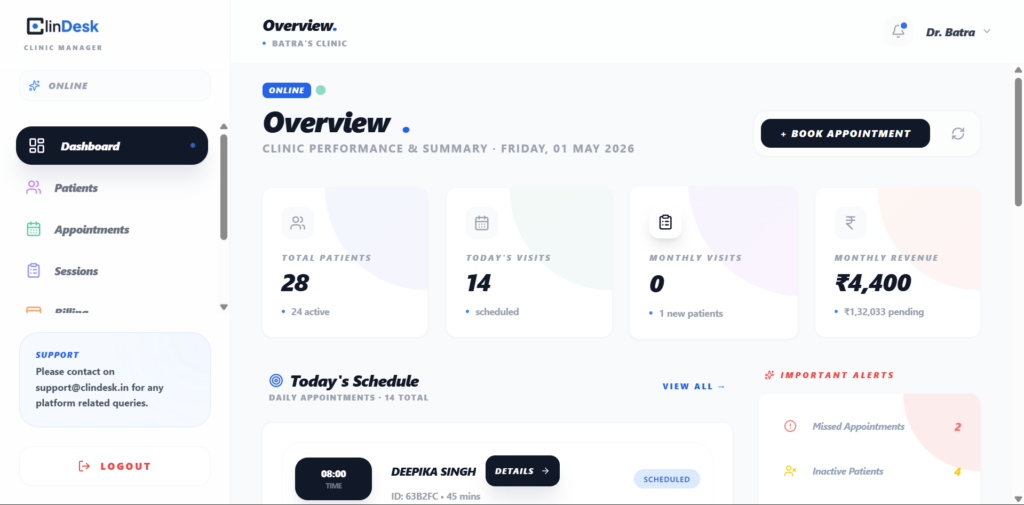
Clindesk was built specifically as a clinic management software for small practices. Instead of overwhelming you with features you don’t need, it focuses on the workflows that actually matter: keeping your calendar full, reminding patients via WhatsApp, taking fast clinical notes, and tracking payments.
For clinics that communicate with patients primarily through mobile messaging, Clindesk organizes that chaos. It turns scattered WhatsApp chats into a structured patient pipeline, ensuring no follow-up is forgotten and no appointment is missed. It acts as an operational co-pilot, letting independent doctors focus on care rather than clicking through complicated software menus.
Next Steps for Your Practice
Upgrading your operations with the right clinic management software for small practices is the first and most important step toward stress-free growth.
If you are currently researching how to start a private practice, getting your software stack right from day one will save you months of headaches later. And if you have been running a clinic for years, optimizing your scheduling and billing software is one of the most effective answers to how to increase clinic revenue without working longer hours.
Frequently Asked Questions (FAQ)
What is clinic management software for small practices?
It is a digital platform designed to help independent doctors and small clinics manage their appointments, patient records, billing, and communication in one centralized dashboard.
Does a solo practitioner really need practice management software?
Yes. Even with a small patient load, automated reminders, secure note-taking, and digital invoicing save hours of unpaid administrative work every week.
What is the difference between an EMR and practice management software?
An EMR (Electronic Medical Record) strictly handles clinical charts and patient health histories. Practice management software handles the business side—scheduling, billing, and reminders—though many modern systems (like Clindesk) combine both.
Are these systems GDPR and HIPAA compliant?
Reputable software providers take compliance seriously. Always verify that the platform uses encryption, offers secure access controls, and adheres to the specific healthcare data laws in your country (like GDPR in the UK/EU or HIPAA in the US).
Can clinic software reduce no-shows?
Absolutely. Automated reminders sent via SMS or WhatsApp 24 to 48 hours before an appointment are proven to significantly drop no-show rates and improve patient attendance.
Is it difficult to switch from paper to digital records?
It is easier than most practitioners think. Systems built for small clinics prioritize ease of use, allowing you to gradually shift your daily scheduling and note-taking to the digital platform in just a few days.
How much does clinic software typically cost?
Pricing varies widely. Enterprise systems can cost hundreds of dollars per month with extra setup fees, while software designed for small practices usually offers a flat, affordable monthly subscription with no hidden costs.
Can patients receive WhatsApp reminders?
Yes, some modern platforms are specifically integrated with WhatsApp, recognizing that it is the preferred communication method for patients in many regions like India, the UAE, and parts of Europe.
Does clinic software handle billing?
Yes. A good system will allow you to generate invoices directly from an appointment, track outstanding balances, and record payments, ensuring your clinic maintains healthy cash flow.
How do I choose the best software for my clinic?
Focus on your biggest pain points. If no-shows are an issue, look for strong reminder tools. If paperwork is taking too long, look for fast SOAP notes. Always prioritize ease of use and responsive customer support over a massive feature list.